An example of a description
A good description looks like a cartoonist. For example:
“A case for 70 50 mm electronic board, height 25 mm, 2 mm walls, 4 M3 mounting pads and a USB-C opening on the side.”
From this text, the Studio generates a case in which each value (length, width, height, wall thickness, position of the opening) becomes an adjustable parameter. You adapt the model to your card without starting the generation again.
Why a Parametric Model Changes Everything
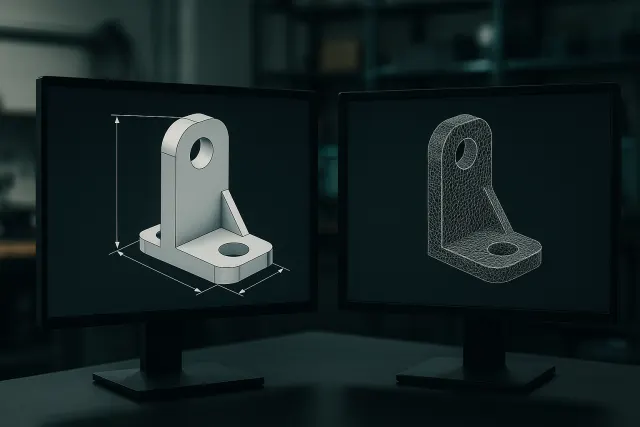
A parametric model is described by dimensions and operations (extrusion, drilling, filleting), not just by a surface. This is what allows:
- Change a dimension with a cursor, the preview and the file updating automatically;
- keep accurate values (a 3.2 mm hole remains at 3.2 mm);
- to produce variants of the same part (several sizes of a support);
- also download the source file (.scad) to resume it in OpenSCAD.
Parameter settings, recompilation and downloads are free; only generation by AI consumes credits. The guide parametric model or mesh compares the two approaches in detail.
What pieces to describe?
Generating from a text is the most effective for simple technical parts, the geometry of which can be stated:
| Type of part | Examples |
|---|---|
| Supports and fasteners | Pierced square, wall mount, cable clip |
| Enclosures | Electronic housing, cover, cover |
| Simple mechanical parts | Spacer, toothed wheel, ring, stop |
| Organization and workshop | Drilling template, tool holder, separator |
| Objects in kit | Object cut into parts to be assembled (assembly mode) |
For an organic object (character, animal, sculpture), start from an image: see photo in 3D and personalized figurine.
Write an effective description
Three pieces of information make the difference: the function of the room (what it holds, protects or connects), its critical dimensions (which must correspond to an existing object) and its fixations (screws, clips, sockets).
Our guide write a brief to generate a 3D piece by AI details the method, with examples of descriptions that work the first time and errors to avoid.
Starting from a library model
Before describing a room from scratch, look at the Studio library: it offers free parametric models (fixing bracket, electronic box, gear, spacer, cable clip, device holder) whose dimensions you adjust with sliders. For a room of this type, it is often the fastest way: no generation is necessary, and you keep the possibility to then ask for a modification to the AI.
The library also welcomes models created with the Studio and shared by their authors, free or in credits, under the license chosen by each one. A room close to your need can thus serve as a starting point, to adapt to your dimensions.
From model to piece
Once the dimensions have been adjusted, you can download the STL or 3MF for your own printer, or you can choose “Make it print”: material, quantity, finish and lead time, with a price including VAT calculated before payment. The part is manufactured in our workshop in Var and shipped in France; most orders leave within 48 to 72 hours. For a prototype or a small series, see Rapid Prototyping.
Frequently asked questions
Do you need to know how to model in 3D?
No. You describe the room in French, the AI generates the model, and then you adjust the dimensions with sliders.
Is the generated model modifiable?
Yes. It is a parametric model: each dimension is adjusted, the preview and the file are updated, and the .scad source file can be downloaded.
What files do we get?
STL or 3MF for printing, as well as the .scad file of the parametric model.
How much does a generation cost?
Each generation consumes credits according to its real complexity; settings, recompilation and downloads are free. 50 credits are offered after confirmation of the email.
Can we generate a piece in several pieces?
Yes, the assembly mode cuts the object into parts to be assembled with the modelled sockets.